
Formlo
Subtitling, translation & video conversion · macOS / Windows
Formlo is a subtitling tool for macOS and Windows that puts the whole chain — generate subtitles, tune the line breaks, translate to bilingual, burn into the picture — in one window, with video remuxing and audio extraction alongside it. Beyond polishing a single video, it can point at an entire folder and subtitle or burn the lot.
Three workspaces: Subtitles polishes one video, Convert handles containers and audio, and Batch subtitles runs a whole folder through.
Mac version: This software uses code of FFmpeg (https://ffmpeg.org) licensed under the LGPLv2.1, and its source can be downloaded here: https://github.com/hongkongc/formlo-ffmpeg-source/releases/tag/ffmpeg-mac-7.1-lame-3.100
Windows version: This software uses code of FFmpeg (https://ffmpeg.org) licensed under the LGPLv3, and its source can be downloaded here: https://github.com/hongkongc/formlo-ffmpeg-source/releases/tag/ffmpeg-n9.0.2-3-ga5923073bf
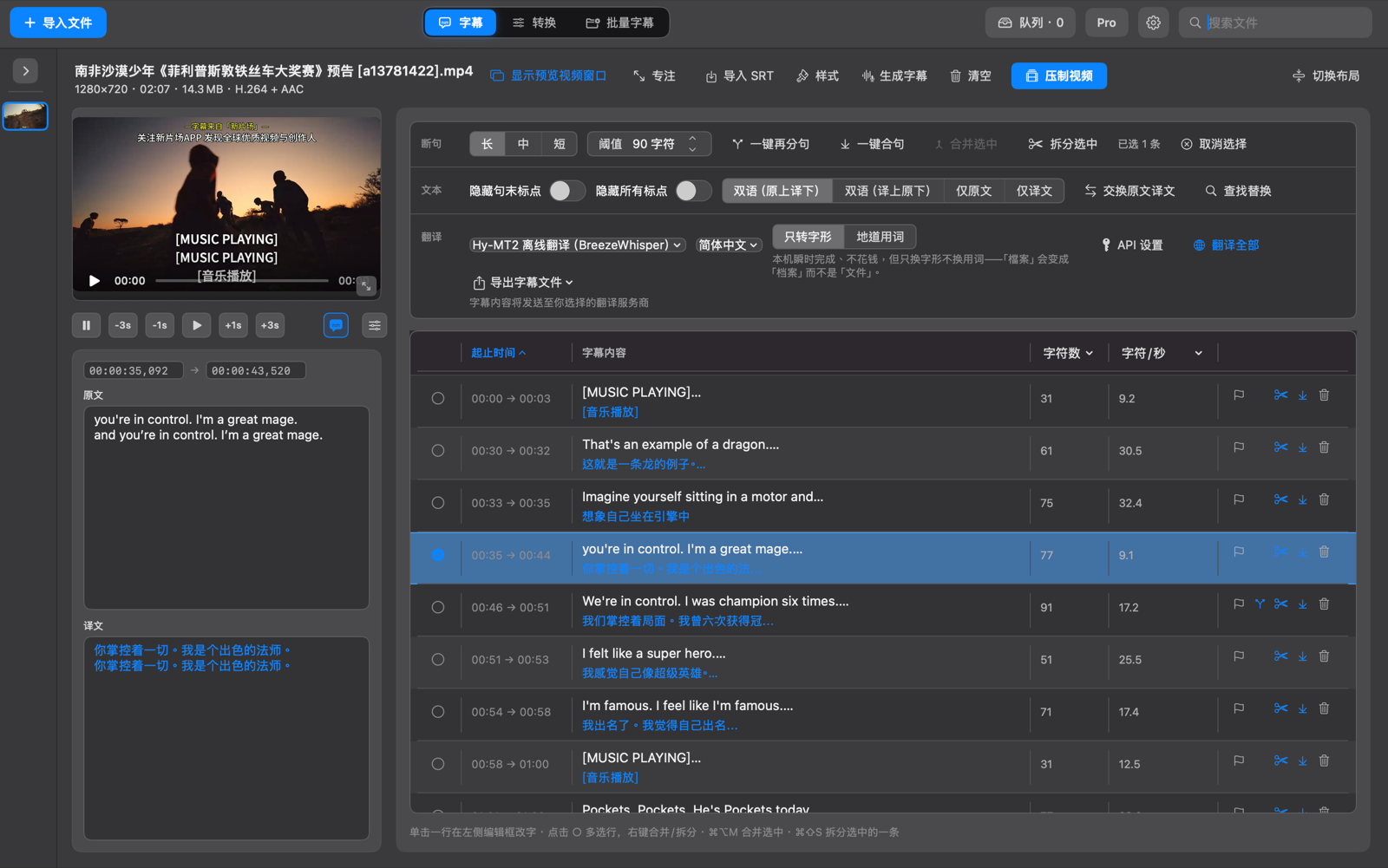
The Subtitles workspace: per-cue editing and bilingual translation
Three workspaces, one per stage
Subtitles
Import a video, generate subtitles or bring in an SRT, tune the line breaks and the translation, then export a subtitle file or burn it straight in. This is where a single video gets polished.
Convert
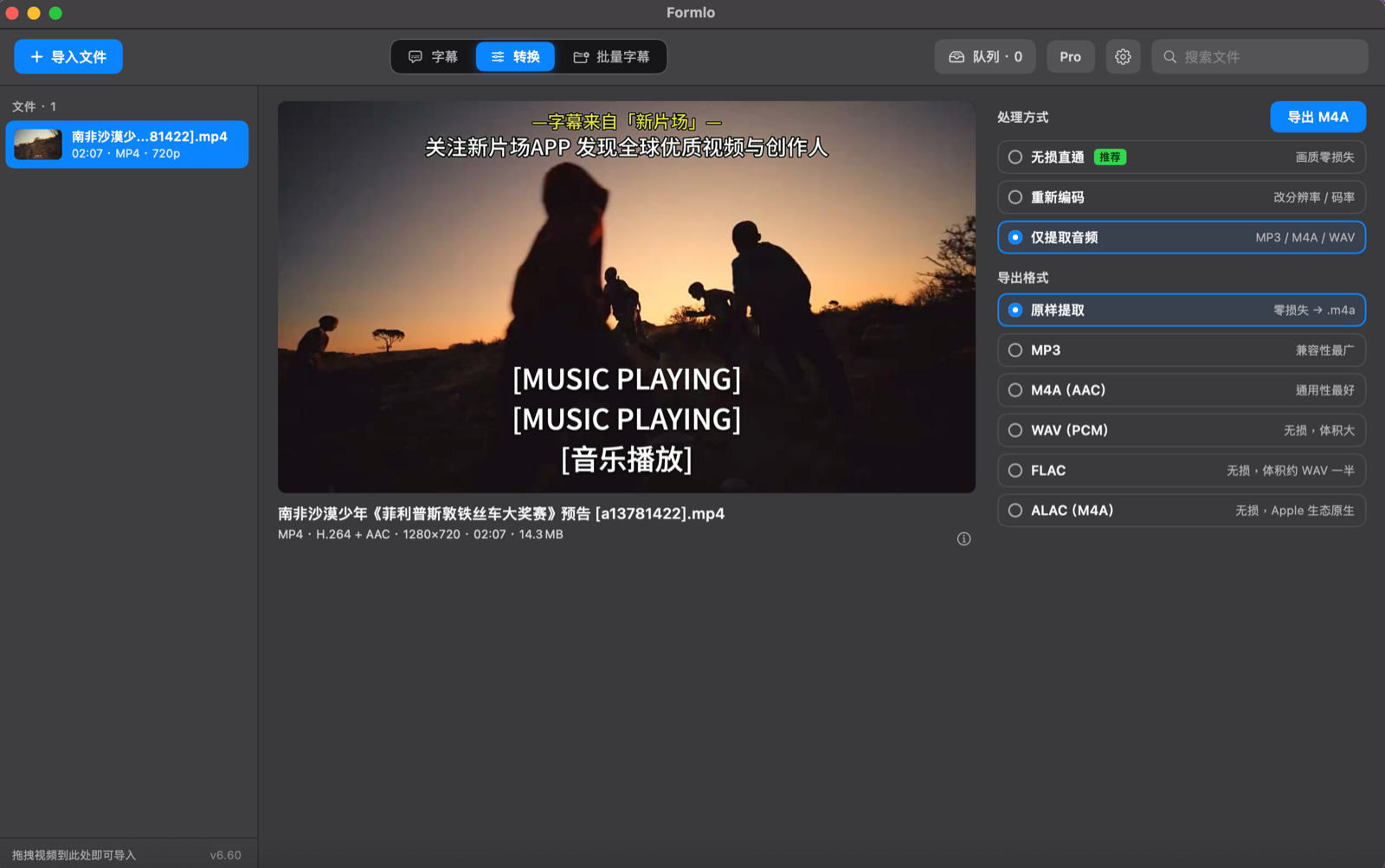
Change the container, adjust resolution and bitrate, or pull out just the audio track. Lossless passthrough skips re-encoding entirely; audio extraction covers both lossy and lossless formats.
Batch subtitles
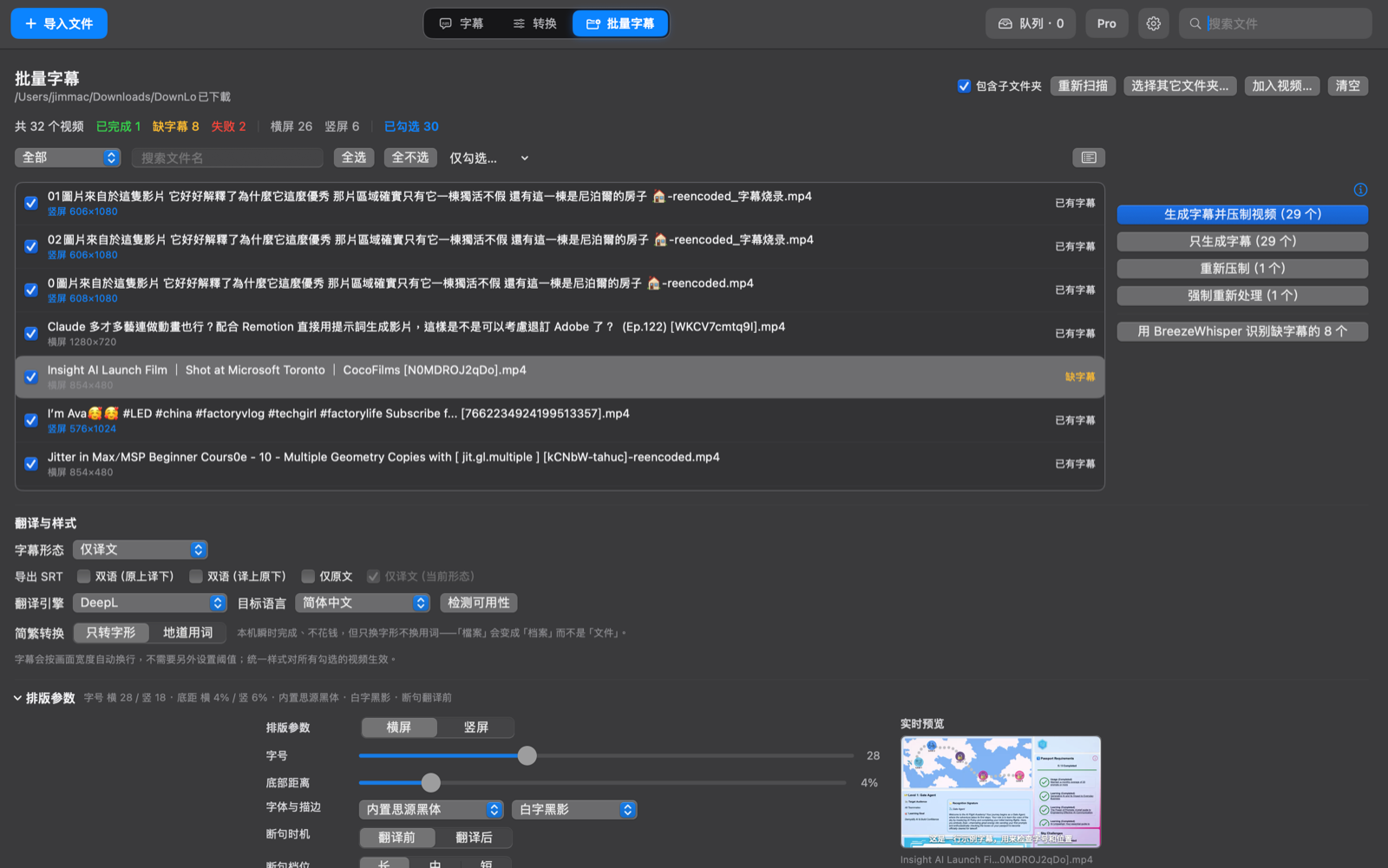
Point it at a folder, let it scan every video and report subtitle status, set the translation engine and typography once, then run the lot. Built for clearing a backlog in a single pass.
Features
Generate and edit line by line
Generate subtitles from a video in one click, or import an existing SRT. Every cue is listed with its in/out times, character count, and characters per second — click a row and it opens in the editor with the preview seeking to match.
Control how lines are split
Long / medium / short presets plus a custom character threshold. Re-split or merge the whole track in one click, or merge and split selected cues by hand, so no line runs too long and no sentence gets chopped up.
Bilingual subtitles, your choice of engine
Four layouts — bilingual with either language on top, source only, or translation only — and a one-click swap between them. Translate with the on-device Hy-MT2 engine (BreezeWhisper) or connect an online service such as DeepL.
Two kinds of Chinese script conversion
Glyph-only conversion runs instantly on-device at no cost but keeps the original wording; idiomatic conversion also swaps regional vocabulary, so a term is rewritten the way readers in the target region actually say it.
Burn-in and typography
Export an SRT, or burn the subtitles straight into the picture. Font size, distance from the bottom, typeface and outline (bundled Source Han Sans, white text with a drop shadow) are all adjustable, set separately for landscape and portrait, with a live preview.
Lossless remux and audio extraction
The Convert tab offers three modes: lossless passthrough with zero quality loss, re-encode to change resolution or bitrate, and audio-only. Audio can be extracted as-is to a lossless .m4a, or written out as MP3, M4A, WAV, FLAC, or ALAC.
Batch a whole folder
Point it at a folder (subfolders included) to scan every video, flagging which already have subtitles, which are missing them, which failed, and whether each is landscape or portrait. Then subtitle them all, burn them all, or fill in just the ones that are missing.
Queue and background work
Burn-in and conversion jobs go into a queue and run in turn, so you are not babysitting them one at a time. The search box at the top filters everything you have imported.
A look at the app
Installation
These steps are for the Mac version, which downloads as a DMG disk image. For Windows, download the EXE installer, double-click it, and follow the prompts.
Download and open
Use the button above to download the DMG and double-click it to mount the disk image. The button always points at the current release.
Move it to Applications
In the window that opens, drag Formlo into your Applications folder, then eject the disk image and launch it from Applications.
Updates from there on
Once installed, the app checks its own update channel for new versions — no need to come back to this page each time.
System requirements: the Mac version requires macOS 14.0 or later; the Windows version supports Windows 10 / 11. Earlier systems are not supported.