

MathDocx
Exam papers to Word · Editable equations · Windows (Built-in / Own Key)
MathDocx turns math exam and worksheet PDFs or photos into Word documents. Equations become MathType objects you can double-click to edit, or native Word equations if you prefer. Only the printed questions are kept; handwritten answers and red-pen marking are left out. Afterwards you check the original and the Word file side by side, with unclear spots listed for you.
Always the latest release · EXE, about 56 MB · Windows 10 / 11 (64-bit) · Both editions can be installed on the same PC. What's the difference?
Hover over the picture to play the promo · Chinese interface, actual conversion results
Four steps to an editable Word file
The Word file is saved next to the original paper.
Drop in the papers
PDFs or phone photos. Add several at once and they convert one after another.
Pick the recognition mode
Choose "Printed" for printed papers, or try "Handwritten (experimental)".
Start converting
A typical page takes about a minute. For PDFs of 8+ pages you can trial the first 3 pages.
Check side by side
The original and the generated Word file sit side by side, with spots to confirm listed on the right.
Features
Equations you can edit
Equations become MathType objects: double-click one in Word to edit it. Without MathType, choose native Word equations, which are also faster; or generate Word equations first and convert them to MathType.
Questions only, no pen marks
Only the printed questions go into Word. Handwritten answers, red-pen marking and ticks are left out. Pages with marking are flagged, and a "Careful" mode can re-run important papers.
Side-by-side review
The original and the Word output are aligned page by page. Unclear symbols and questions to confirm are listed on the right; click one to jump to it in both.
Layout your way
Keep the original page breaks or flow continuously; keep the blank space between questions or remove it. You can also add a clickable table of contents at the top.
Fonts saved as presets
Set fonts separately for Chinese text, Latin letters, Greek letters and equations, with one size for text and equations (e.g. SimSun + Times New Roman 10.5pt). Save it as a preset for next time.
Consistent symbols
When a symbol style is unclear in the original (for example the shape of intersection and union signs), apply one style across the whole paper, or replace a symbol everywhere.
Which edition?
Features, interface and the Word output are identical. The only difference is whose recognition service is used and how you pay.
Built-in edition
Works right after install; no API key to set up.
- Sign in with an email code; recognition uses the MathDocx built-in service
- Pay per use with points: new users get 10 free points (about 2 pages), then top up with recharge codes; points never expire
- One account works on up to 2 PCs
- For people who just want it to work and pay by usage
Own Key edition
Use your own AI model API key and pay the provider directly.
- Enter your own AI model API key in Settings
- Needs a license code: yearly or perpetual, one code works on 3 PCs, and you can move it between PCs yourself
- Try it first without a license: 2 files, up to the first 10 pages each (with your own key)
- No points; page images go straight to the provider you choose, not through our servers
Contact us to buy recharge codes (Built-in) or license codes (Own Key). Both editions can be installed and open at the same time, with separate settings and history.
Screenshots
The Windows app (Chinese interface) with a sample paper.

Conversion queue
Papers convert in a queue; each shows its question count, equation count, time and spots to check.

Side-by-side review
Original and Word output side by side, with the spots to confirm listed on the right.
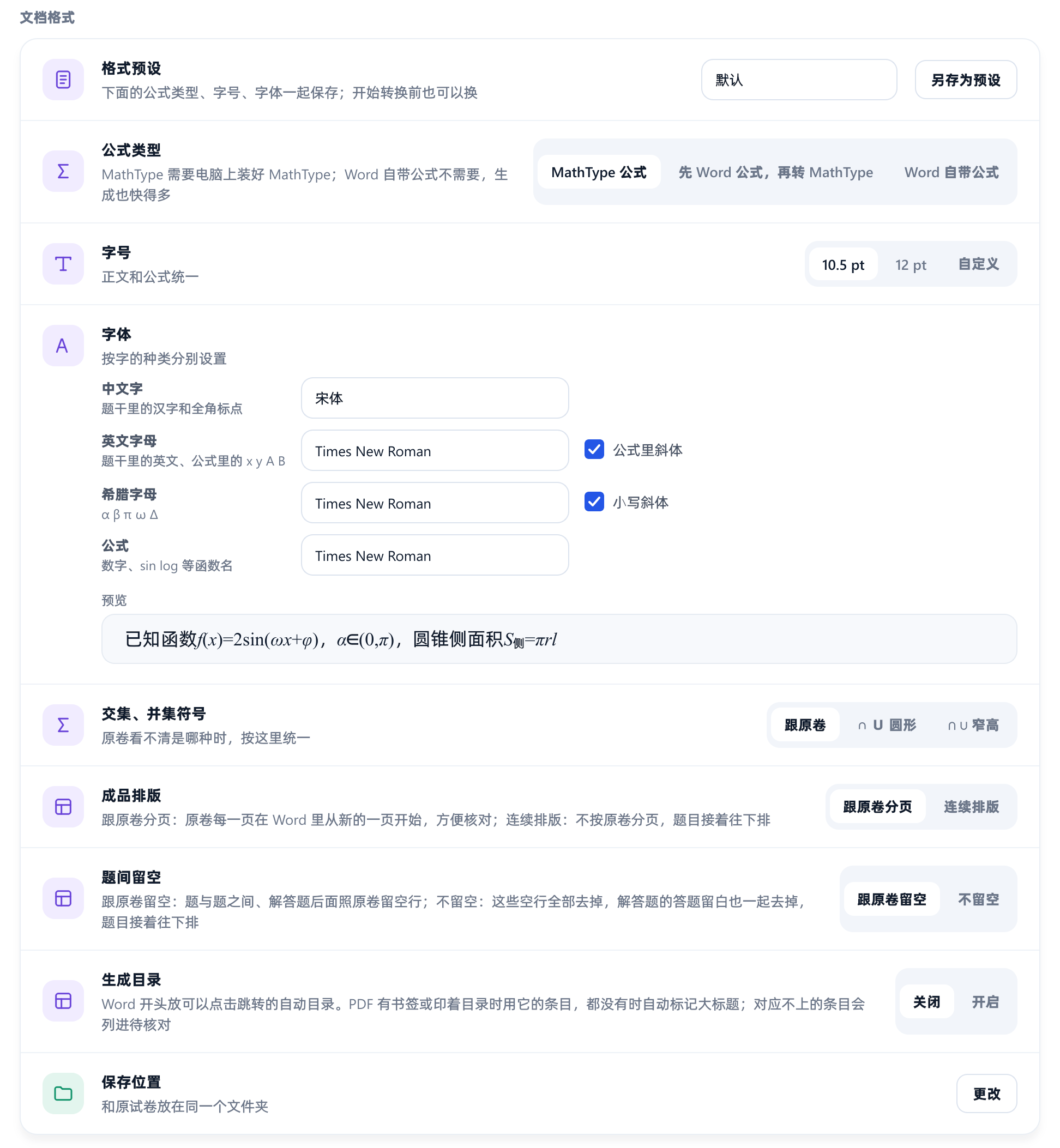
Document format
Equation type, size, fonts per character type, page breaks, spacing and table of contents.
Requirements
- Windows 10 / 11 (64-bit)
- Microsoft Word desktop (32-bit or 64-bit)
- MathType 7 for MathType equations; without it, choose native Word equations
- An internet connection: recognition runs in the cloud
- Own Key edition: your own AI model API key; model usage is billed by the provider
- Close Word before converting on the standard route
Good to know
- Always check the Word output by hand; there can be errors the app didn't flag.
- Red-pen marking lowers accuracy. Only red pen is detected; pencil or black-pen marking isn't flagged.
- Handwriting recognition is experimental and not very accurate.
- About a minute per page; marked pages and Careful mode take longer. Keep the app open while it converts.
Data and privacy
Built-in edition: recognition sends the page images through our relay server to a third-party AI model provider. They are deleted when the task ends, and expire after 6 hours if not deleted. The relay does not store images or text; it only logs usage (time, amount, points). Accounts store only a hash and a masked form of your email, plus hashes of PC identifiers.
Own Key edition: page images go directly to the provider you choose and are handled under that provider's terms, not through our servers. Your API key is kept in Windows Credential Manager on your PC. When you activate a license or start a trial, we receive only a hash of the PC identifier and the PC name (used to list and move PCs on the license).
Names and exam numbers printed on the paper are sent along with the image, so cover them first if that matters to you.